Scaling Arabic Design System: What I Discovered
Arabic is not a translated experience
Arabic products are often built on English design logic. Same tokens, same spacing, same line height, just a different font. This breaks down what actually needs to change in a design system to truly accommodate Arabic, beyond swapping text.
Misapplied English standards create subtle usability failures that go unnoticed until they affect real users. Through my work on Ooredoo's design system, I found practical changes that make Arabic not only legible but genuinely feel like it belongs.
4 mins
My Role
Design System Designer
Platform
Figma
Arabic Design System for
B2C Web & Mobile
The Problem: Same Tokens of English used for Arabic, Broken Readability
Most design systems assume that swapping in an Arabic font is enough. It misses Kashidas (arabic font specific letter spacing)
English-centric spacing, line heights, and letter spacing rules quietly break Arabic. Diacritics get clipped. Glyph flow gets disrupted.
Arabic script is connected and vertically complex. It needs more room, more care, and its own set of rules. Without that, products feel foreign to the people they're supposed to serve.
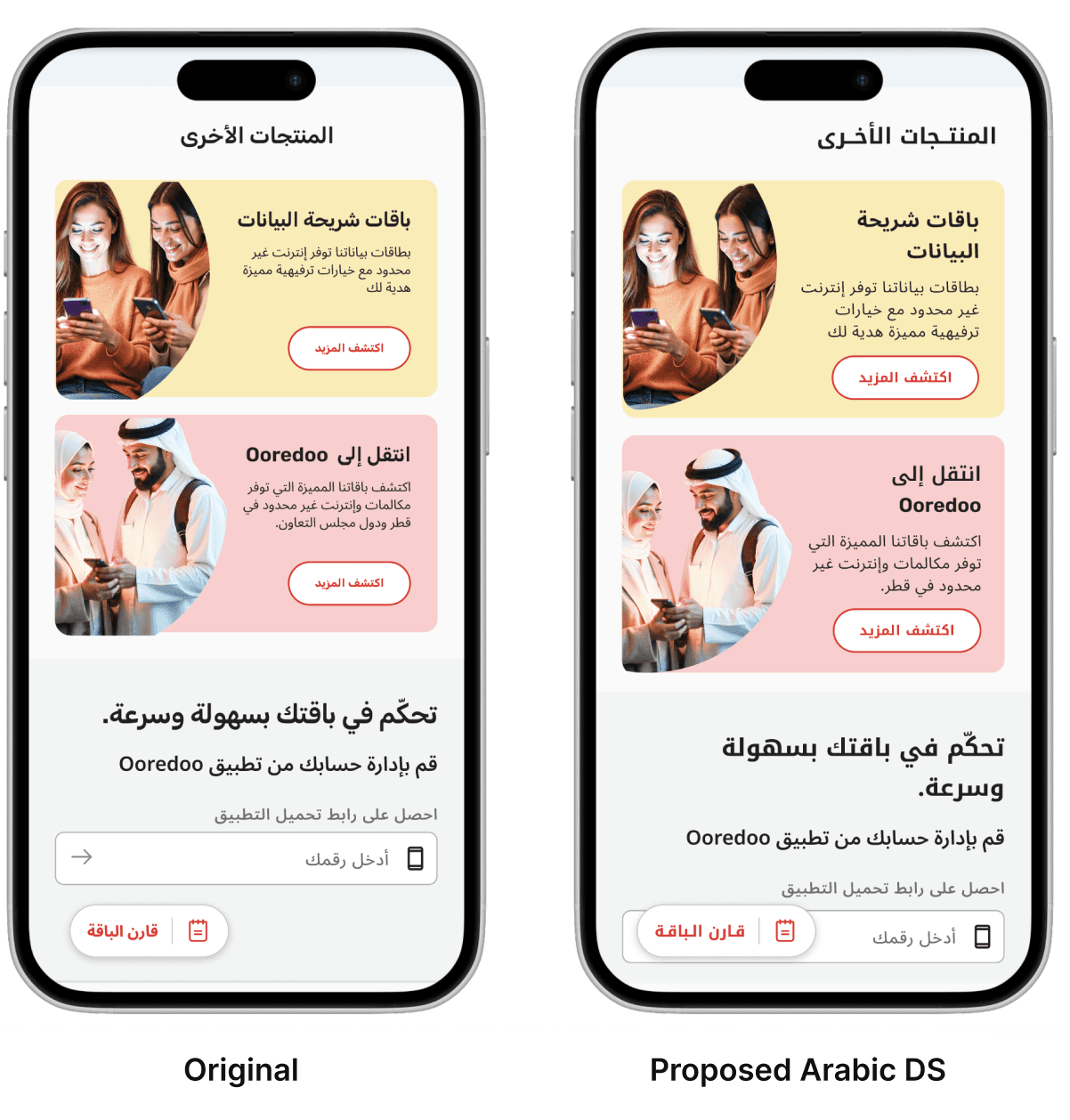
What was the problem in Original?
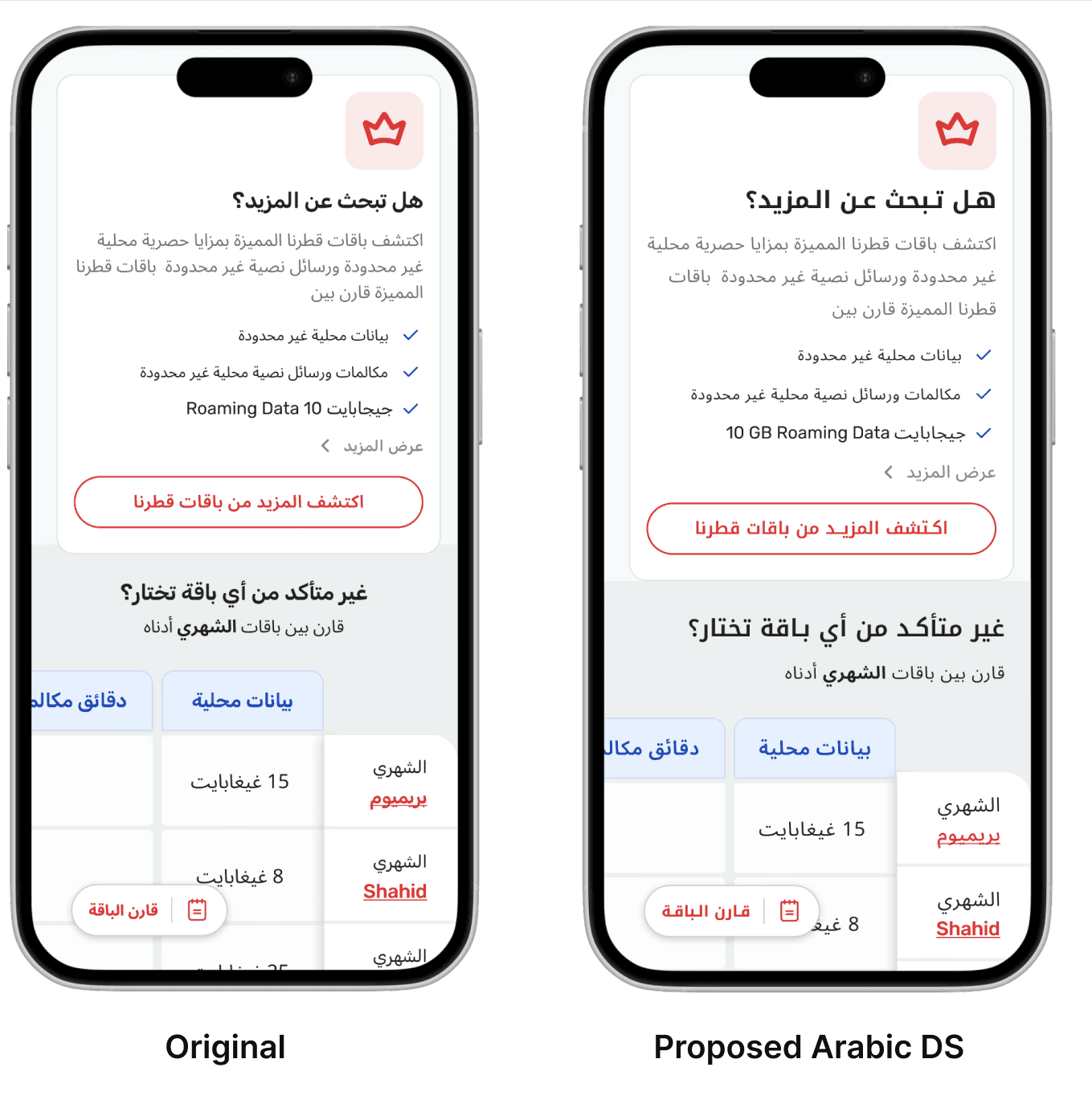
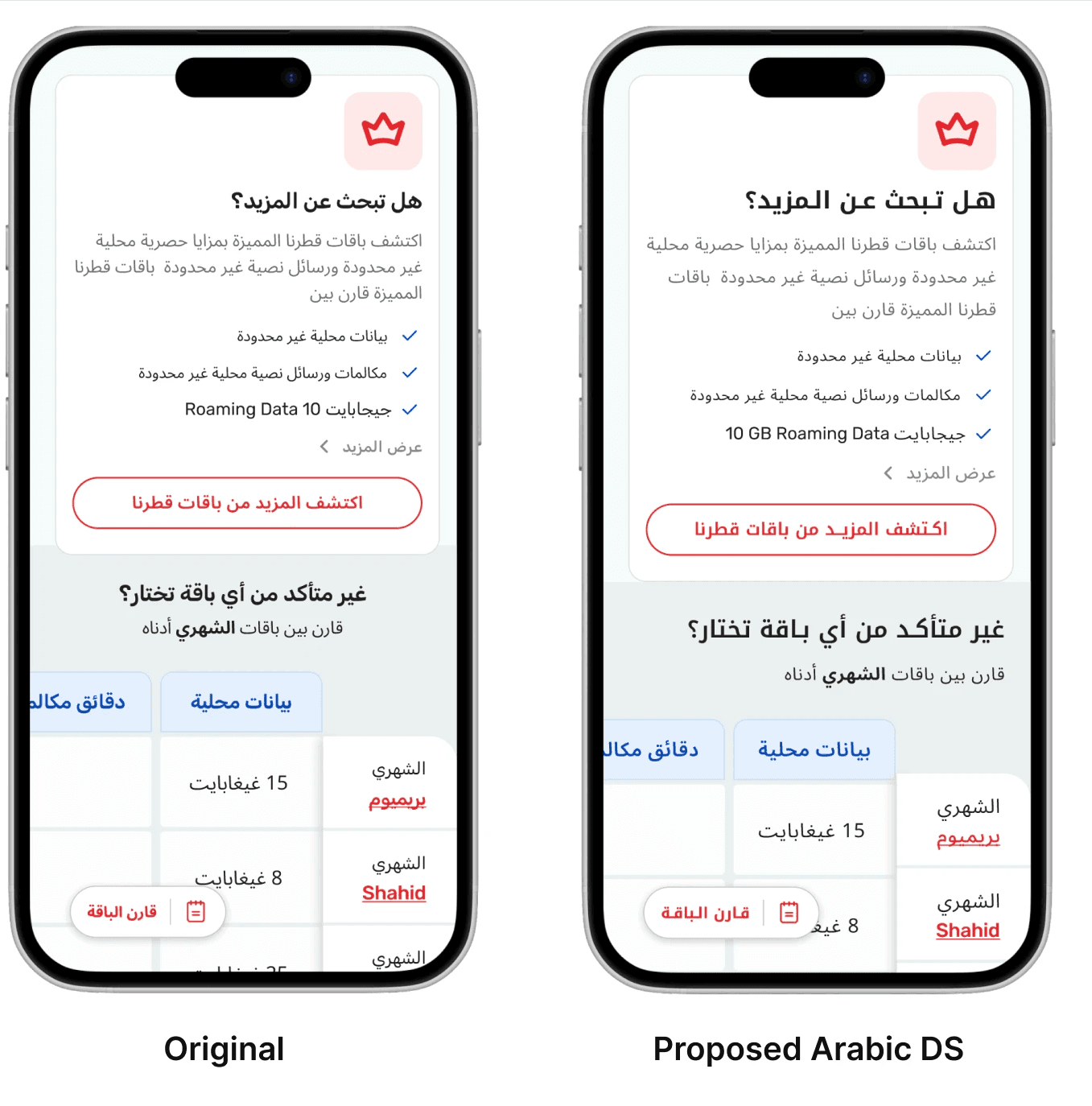
Outfit ExtraBold with 0.5px letter spacing inherited from the English display token
Headline compressed, diacritics clipping into the line above
Text fighting itself visually
What did I propose by adjusting Arabic tokens?
RTL followed instead of Center Aligned with Noto Kufi Arabic Bold
Line height set to 160% of font size, letter spacing set to 0-3%
Added Kashidas in the Heading of Arabic font so there is more readability and aesthetics
CTA legibility is a conversion problem.
What was the problem in Original?
16px button text, English letter spacing. Arabic labels are longer than their English equivalents. The button felt cramped, and on small screens it was borderline unreadable.
What did I propose by adjusting Arabic tokens?
Button font size increased by 2px across all sizes for Arabic. BTN1 goes from 16px to 18px, BTN3 from 12px to 14px. Zero letter spacing. The label sits comfortably, scales properly, and has enough weight to prompt a tap.
Right To Left Changes How Users Think in English vs Arabic
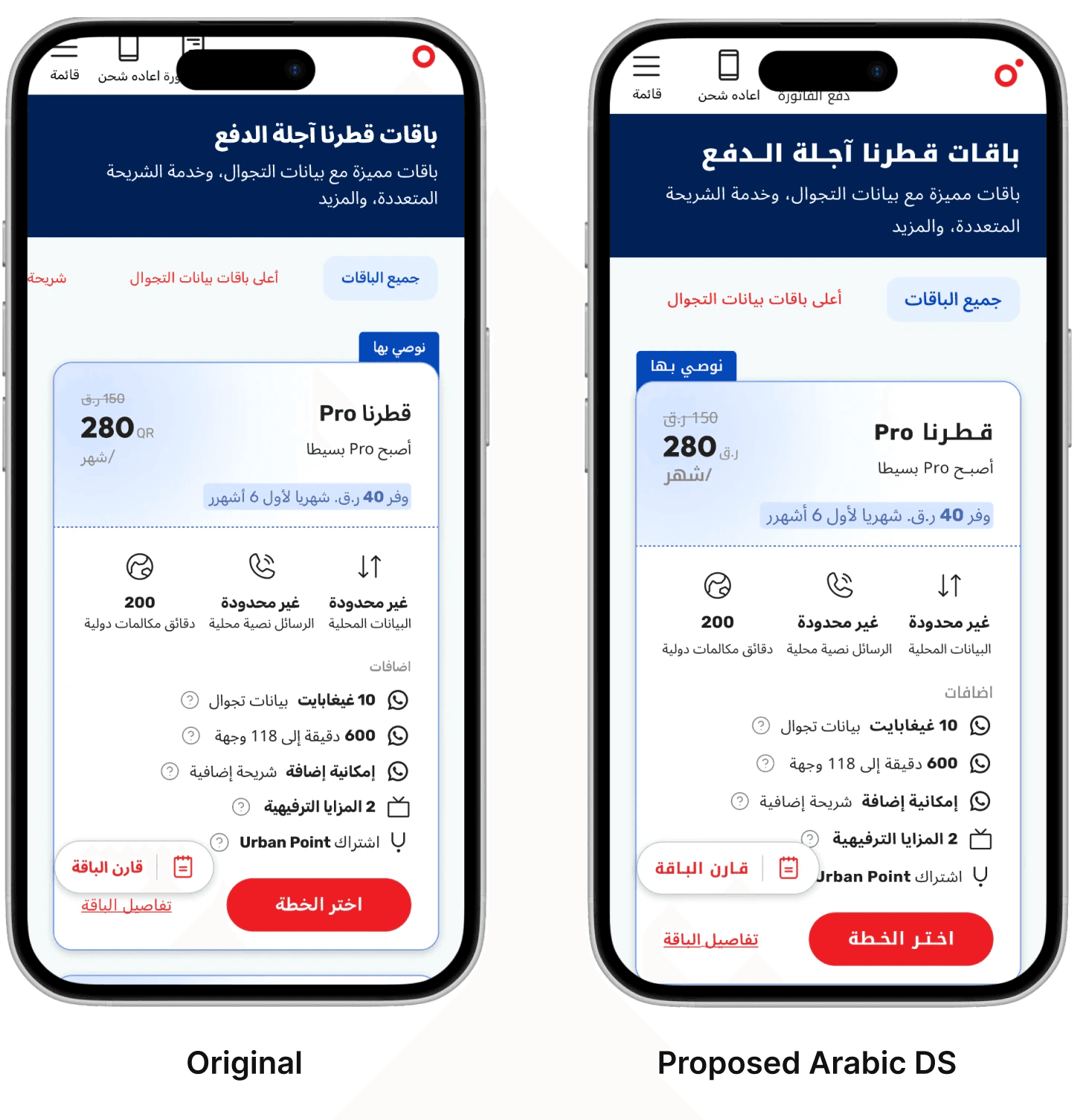
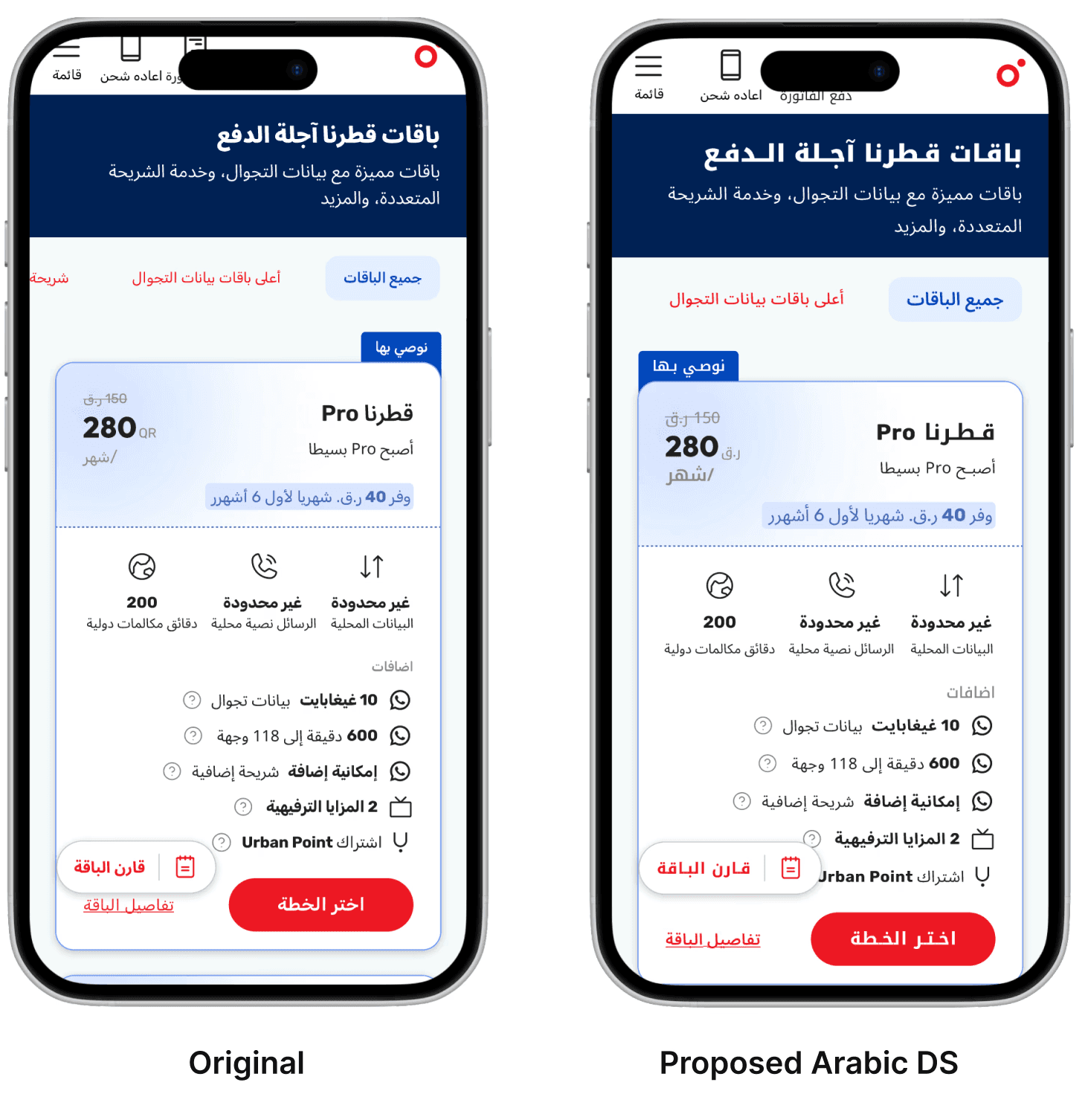
Reading starts from the right. Hierarchy and visual prominence must shift accordingly.
Navigation flows right to left. Menus, progress steps, and sliders all reverse.
Notice how I changed the tag on the card from right to left as well
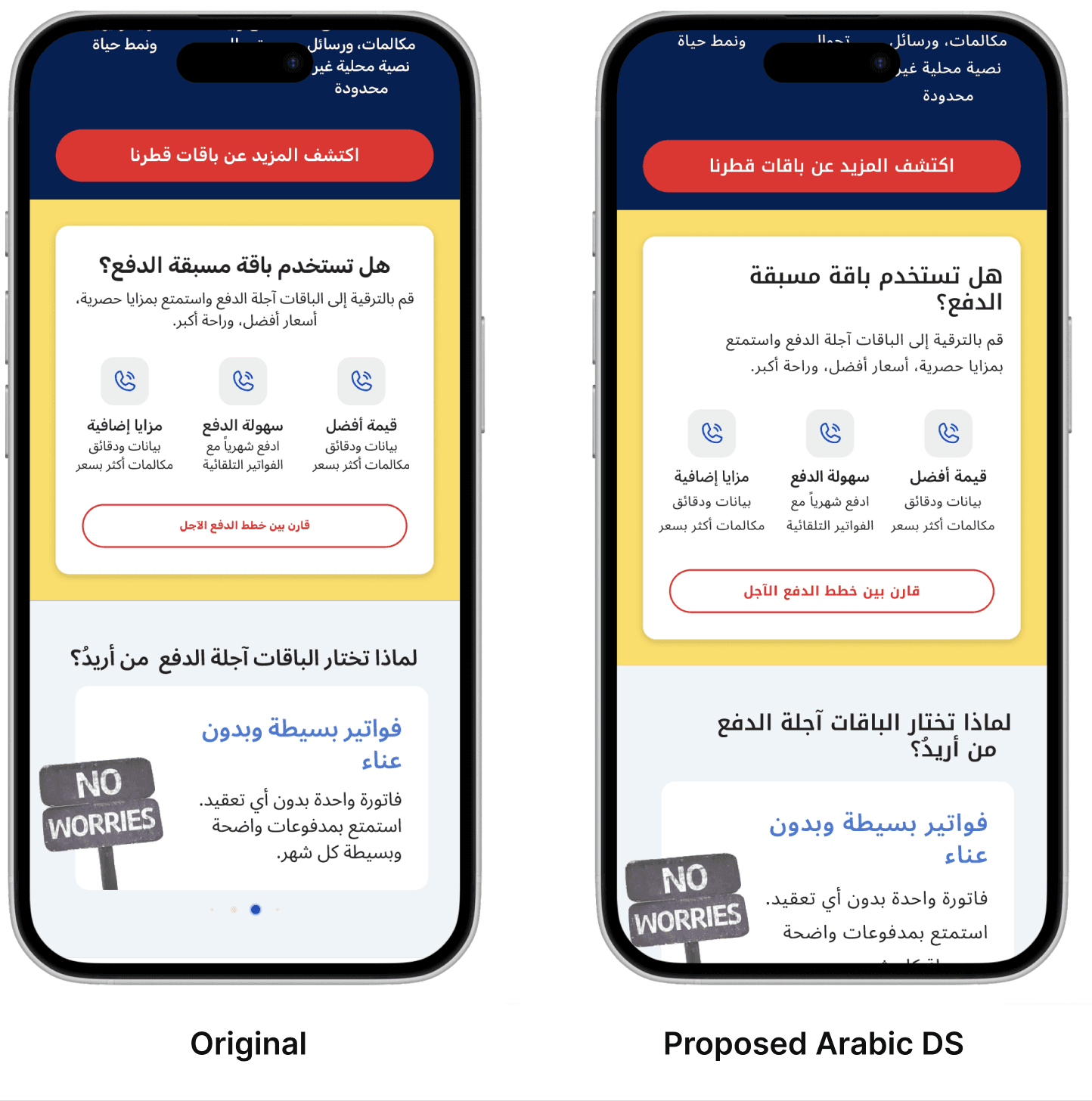
In the Proposed Design, I have moved on from adjusting text to arabic specific components
Arabic Components need 10-15% more spacing vertically to accommodate the design and the longer string buttons also need to be less cramped.
My Two Cents Summary: The Arabic Token Fix
Letter Spacing: 0-2% Arabic is a connected script. Any positive spacing breaks glyph joins and fragments word shapes. English uppercase label styles often carry 0.5px or more. That needs to go.
Font Size: context-dependent Same as English by default. For styles that use ALL CAPS in English, increase Arabic size by 10%. There is no uppercase in Arabic, so this compensates for missing optical weight. For small sizes: 14px English becomes 15px Arabic, 12px becomes 14px. These are readability corrections, not preferences.
Line Height: 160% UI, 180% body 160% for headings, buttons, labels, inputs. 180% for Noto Sans Arabic and Rubik body text. Paragraphs need the extra room. Diacritics and dots require vertical clearance that Latin text simply doesn't.
Font Family: dedicated Arabic typeface, never a Latin fallback Outfit is not in the Arabic brand guidelines. It is replaced with Noto Kufi Arabic for all headings. Body text and CTAs use the approved Arabic variants of Rubik and Noto Sans. If your font doesn't have a real Arabic variant, find one that does.
Read the Next Blog

© 2026 Design Portfolio All rights reserved. Designed by Bisma Munawar