

I do UX analytics differently with Amplitude. Here's how
Which tools do you use for UX Analytics?
Most product teams I work with have the same problem. They have Google Analytics for traffic, Hotjar for replays, Firebase for mobile, and a BI tool for everything else. The data exists. But it lives in four places, tracked against four different user IDs, and answering one product question takes a full day of manual work before anyone can act on it.
I got hands-on with Amplitude recently and want to walk through how I actually used it - specifically the questions I asked and what I was looking for, because that's where the real value shows up.
4 mins
My Role
UX Analyst
Platform
Amplitude
UX Analytics with Amplitude
Track Conversion Faster
Starting with the funnel, then immediately asking why
The first thing I pulled was a full 5-step conversion funnel broken down by acquisition channel: Ad Landing Page Viewed → Plan Compared → Plan Selected → Checkout Started → Plan Activated. Overall conversion sitting at 28.6% over 30 days, 2,003 users entering at the top.
Every step had some drop. That's expected. But one number stood out immediately.
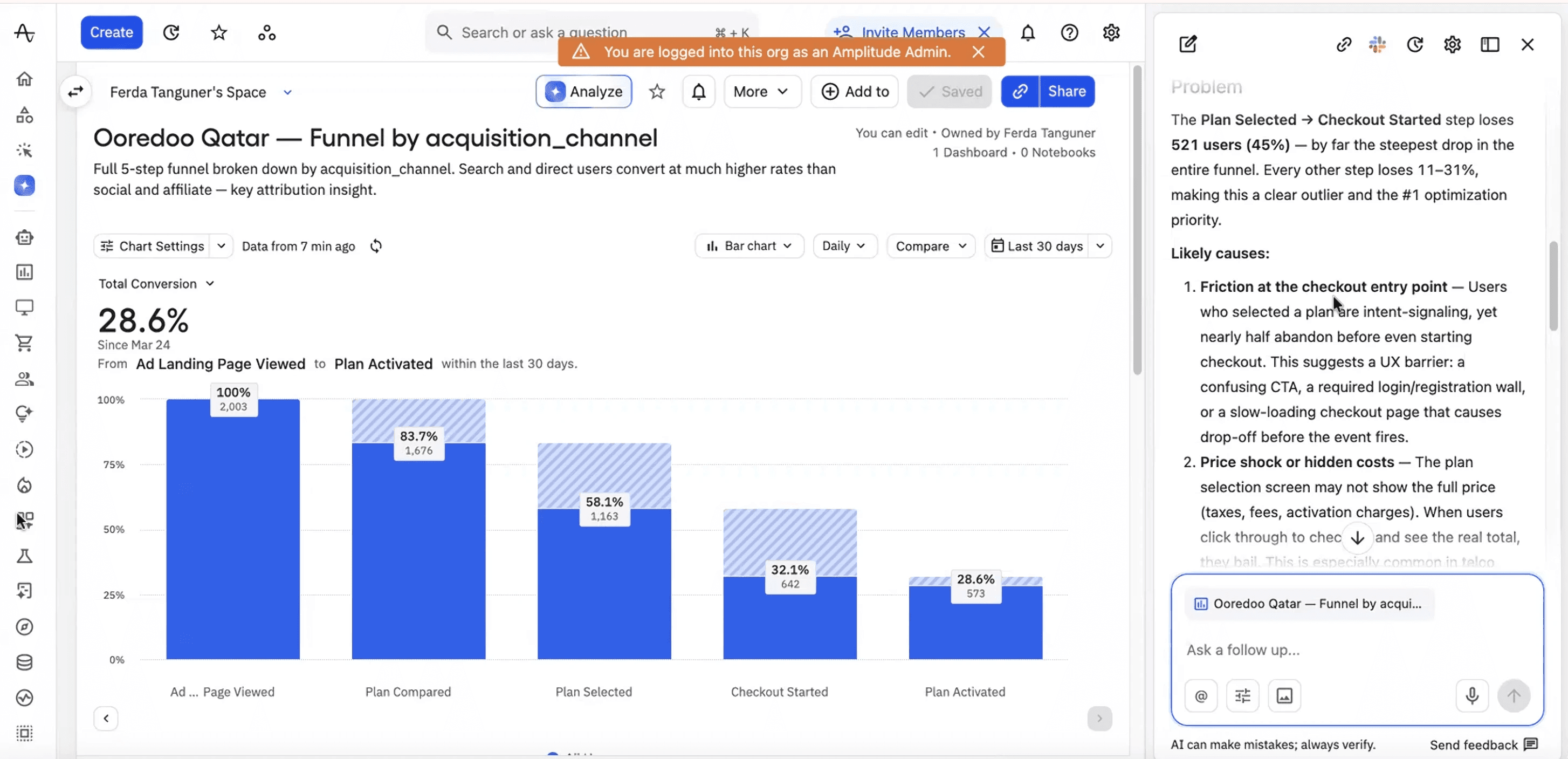
[Dummy Data] Amplitude funnel by acquisition channel. The Checkout Started step shows 26% drop-off- 521 unique users, 44.8% from the previous step. Amplitude AI analysis running in the right panel.
The Plan Selected to Checkout Started step lost 521 users. That's 44.8% of everyone who had already committed enough to select a plan. Every other step in this funnel lost between 11% and 31%. This one was the outlier by a significant margin.
My immediate question wasn't "how do we fix checkout." It was more specific: is this a UX problem, a pricing problem, or a traffic quality problem? Those three have completely different solutions and I didn't want to design my way into the wrong one.
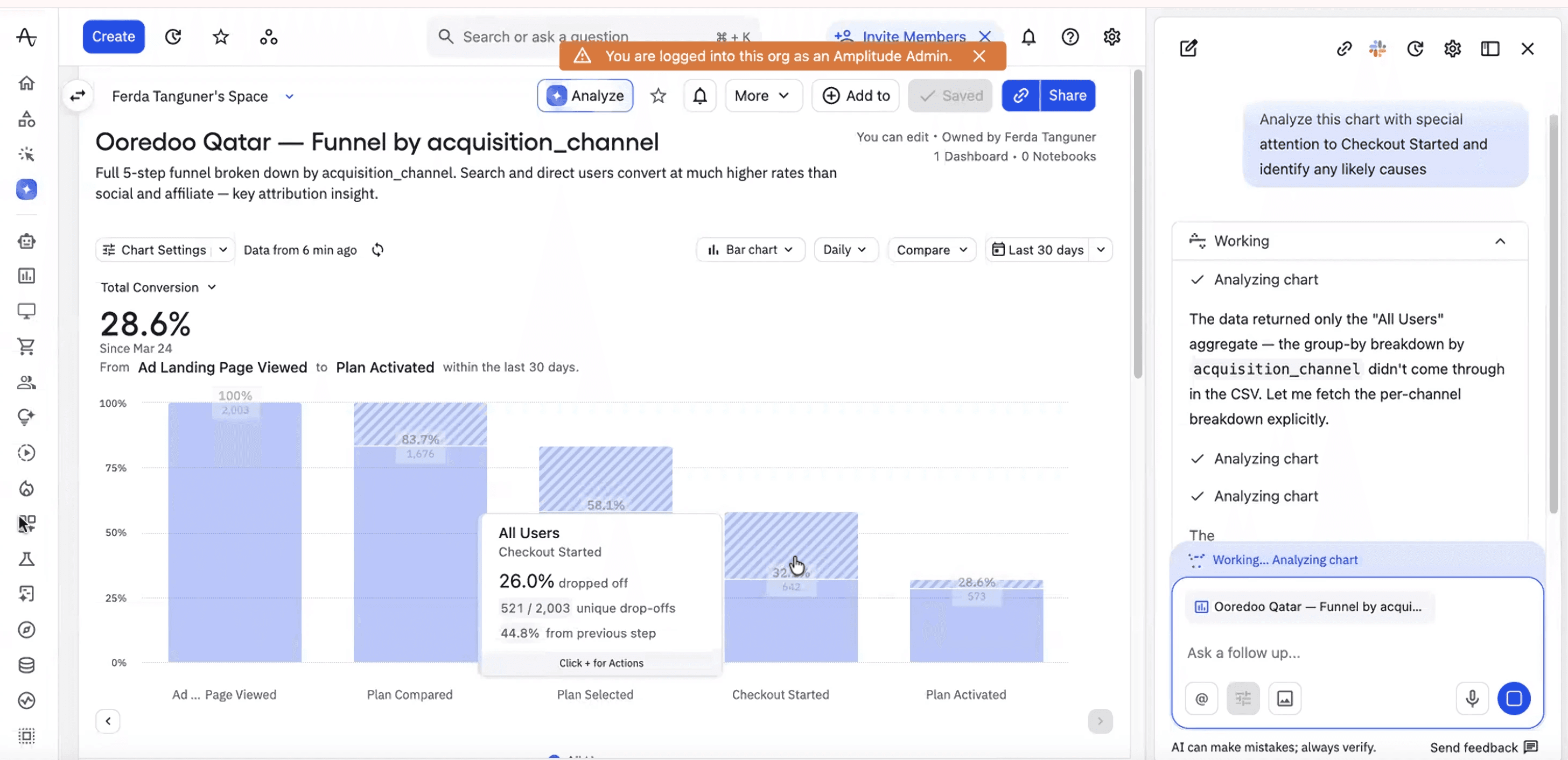
[Dummy Data] What I asked Amplitude AI: "Analyze this chart with special attention to Checkout Started and identify any likely causes."
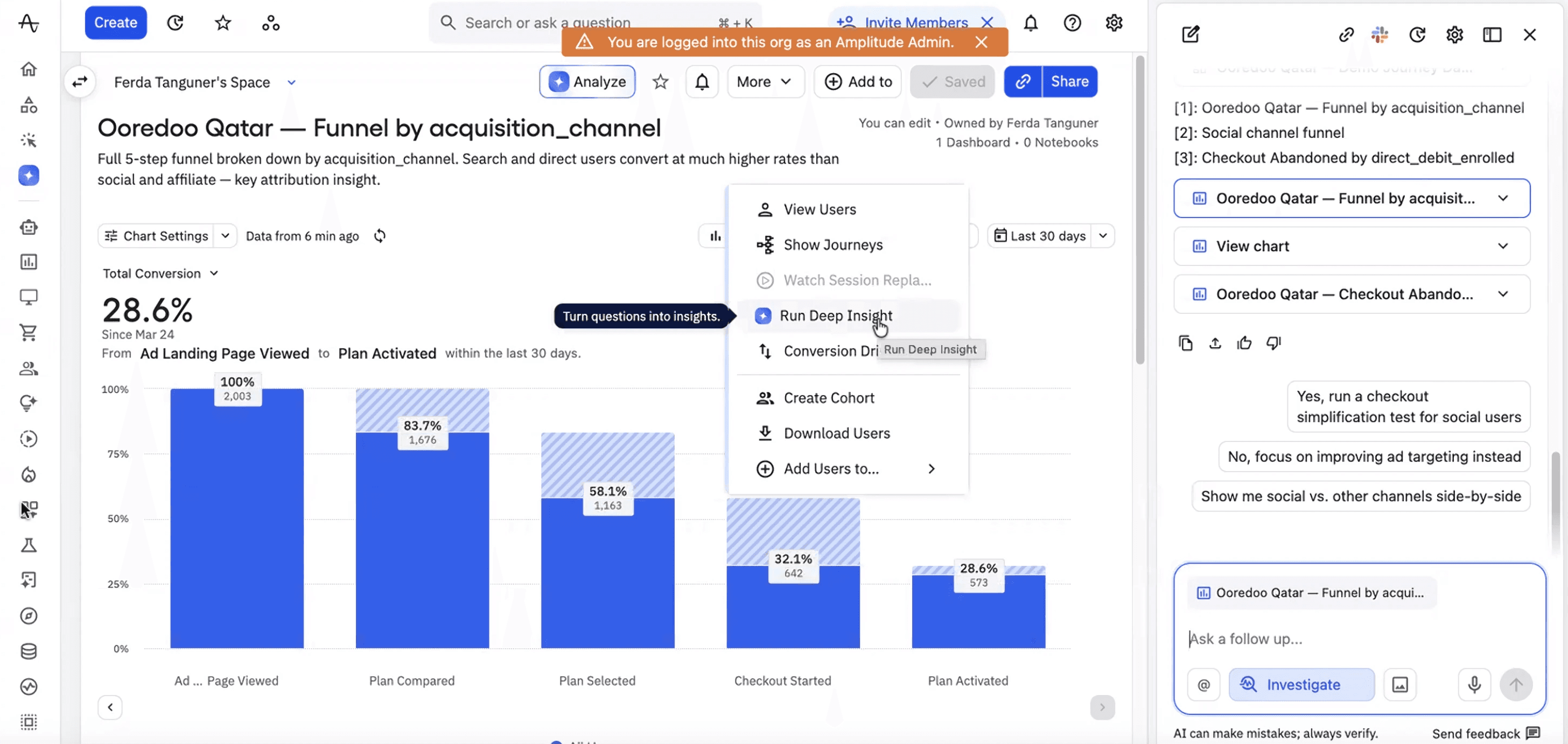
[Dummy Data] The follow-up I asked: If clevertap traffic is dragging down this step disproportionately, what does the checkout drop look like when I isolate only search and direct users? Is the UX problem real across all channels, or is it being inflated by low-intent traffic?
From diagnosis to action
Once the problem is isolated, the next question I ask is: what can I actually do with this cohort right now? Amplitude answers that directly.
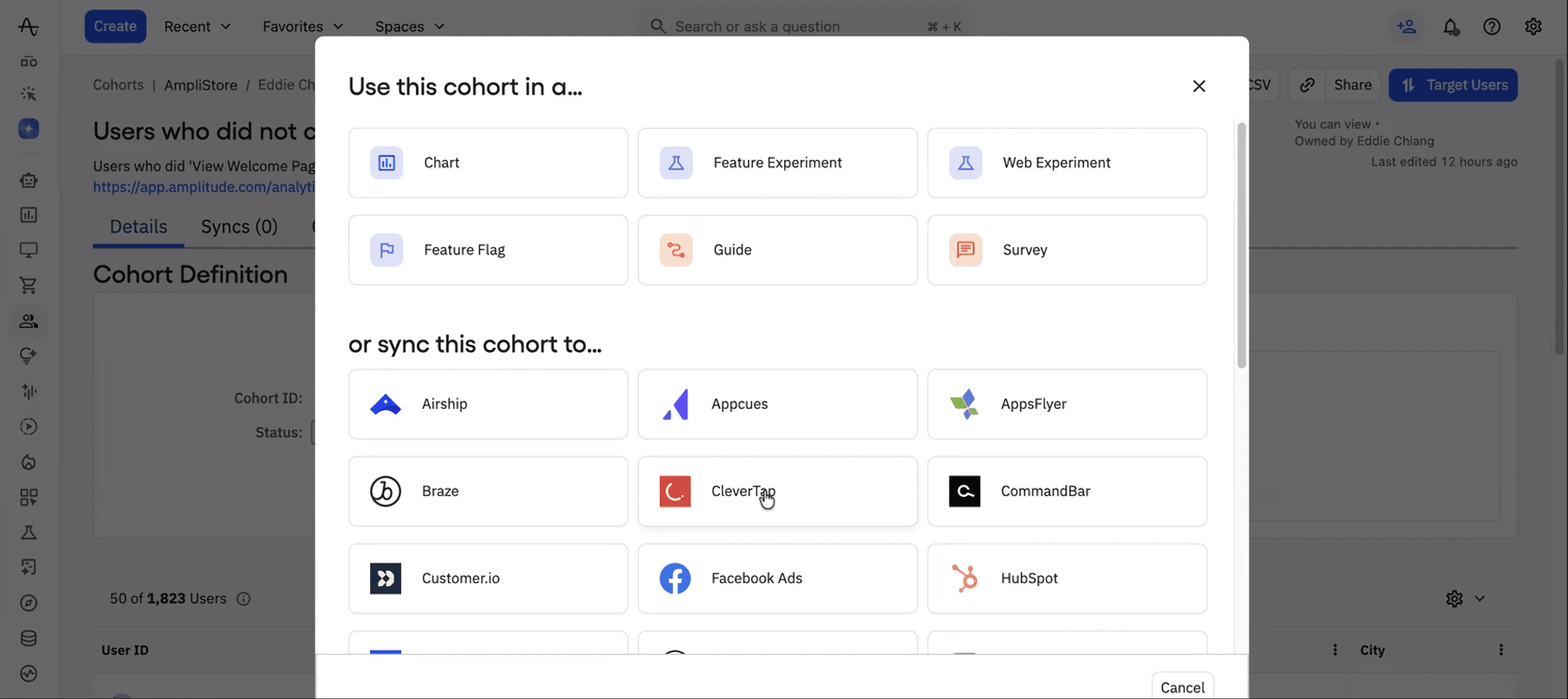
[Dummy Data] Once a cohort is defined, Amplitude lets you act on it immediately - run a Feature Experiment, trigger a Survey, or sync directly to CleverTap and more.
I can take the exact group of users who dropped at checkout, segmented by channel, filtered by behavioral pattern and send them somewhere actionable without leaving the platform.
A targeted CleverTap message for users who selected a plan and left to strengthen their intent of purchase.
Amplitude keeps that loop tight from spotting the drop, to understanding why, to testing a fix on exactly the right people.
What this changes about how I work
When I present a UX recommendation, I want evidence behind it. Not a heuristic or a gut feel. I use Amplitude to pull the exact friction signals behind a drop, then walk into a product review and say: "Users who hit this point at step 3 were 4x less likely to activate, and 60% of them came from social channels where intent was already lower."
That's a different conversation than "I think the CTA is unclear."
I also scope usability tests differently. I don't test features in isolation. I use Amplitude to identify the exact funnel steps with the highest unexplained drop-off, then build test scenarios around those moments.
Most designers present recommendations.
I use Amplitude to build a diagnosis first.
Read the Next Blog
© 2026 Design Portfolio All rights reserved. Designed by Bisma Munawar